
Report a problem or send feedback
Tell us what broke, what you would add, or what you think. It goes straight to support.
- In the menu bar menu, choose Report a problem… or Send feedback…. They're also in Settings › Help, and in the Help menu while Settings is open.
- Pick Something's wrong, An idea or Feedback, and write it down. For a problem: what you did, what happened, and what you expected.
- Leave your email if you'd like an answer. It's optional.
- Press Send. It goes to [email protected], and you get a short note that it's sent.
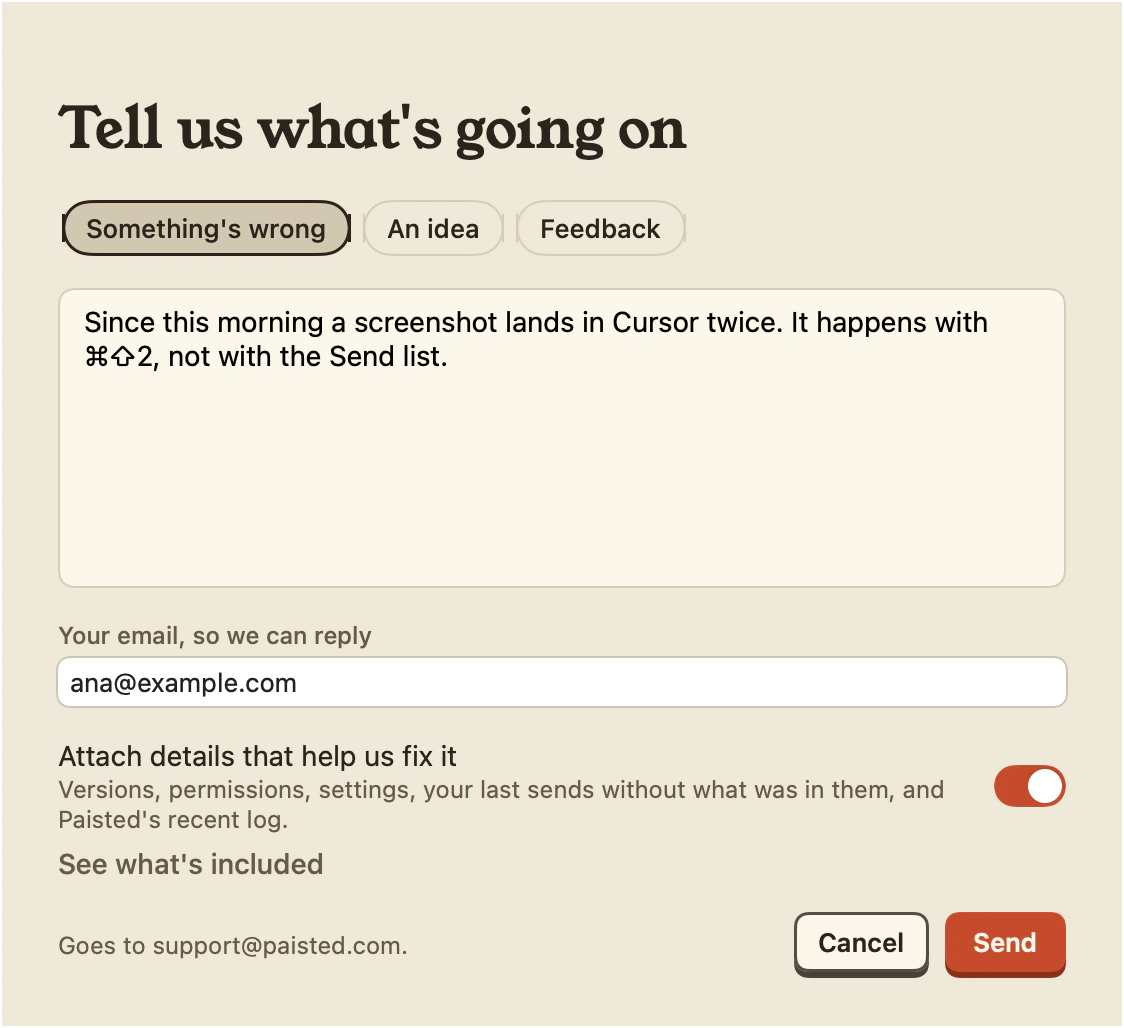
Details that help us fix it
For a problem, Attach details that help us fix it is on. It adds a text file with the Paisted version, your macOS version and Mac model, which permissions are on, your settings, your last sends without what was in them, and Paisted's own log since it last started. Choose See what's included to read every line before you send, or switch it off.
No key, clipboard, text or pictures you sent are in it.
No connection? Email it instead opens a message to support in your mail app, with the details on the clipboard to paste in.
After 25 things have landed in your agents, Paisted asks once what you think, in the small message that says it pasted. It doesn't ask again.
There's also a short form on this site, if you'd rather write from here.
Quotes on the site
Tick You can quote me on paisted.com and we may show your words on the site, with the name and role you gave. Without the tick, we don't. Ask and we take a quote down.
NextWhen something doesn't work