
Screenshot a whole page, top to bottom
A long article, a chat thread or a settings page, from its top to its end. Paisted finds it and does the scrolling.
- Open the page. Where you are on it doesn't matter.
- Press ⌘⇧1, then P for Whole page.
- Paisted finds the part that scrolls, under the pointer or in the middle of the window, and draws a frame around it.
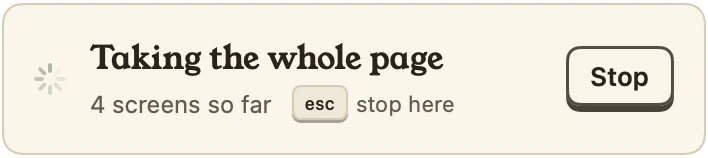
- It goes to the top, then down step by step, and takes a shot each time. A small panel shows how far it got.
- At the end of the page it puts the page back where you were and pastes the pictures, in order and unsent.
A long page comes as a few pictures
A page longer than about a screen and a half arrives as several pictures, in order from the top, each about a screen and a half tall. AI apps shrink one very tall picture until its text can't be read, and a few shorter ones stay sharp.
Paisted stops after 15 screens, about ten pictures. When the page goes on past that, the panel says so.
When Paisted can't find the page
If nothing in the window scrolls, the screen dims and asks you to Drag over the part that scrolls. Drag over the article or the messages, and it carries on from the top in the same way.
Stop early
Press esc or choose Stop. You get everything taken so far.
Good to know
- A header or a message box that stays put while the page scrolls appears once, not on every step.
- Where an app allows it, Paisted moves the page itself and leaves your pointer alone. Elsewhere, like in Chrome, Slack or Claude, it scrolls with the pointer over the page, the way you would, and puts the pointer back after.
- Pages that load more as you scroll, like a chat that loads older messages at the top, can take a while to reach the top or the end. Press esc when you have enough.
- It needs Accessibility, the same permission Paisted uses to paste, to do the scrolling.
Give Screenshot the whole page its own keys in Settings › Shortcuts, or use the link paisted://long on a Stream Deck key.