
What stays on your Mac
Paisted has no account and no server of ours that sees what you send.
- Captures and history stay in a private folder on your Mac for up to 7 days, then get deleted. With history off, captures last an hour or two, long enough for your agent to read them.
- Delete all history and captures in Settings › General clears everything at once.
- Your voice is recognized on your Mac. No audio leaves it.
- The clipboard: what Paisted copies stays on this Mac, out of Universal Clipboard.
- Passwords: what looks like one is hidden in the list, kept out of history, and cleared from the clipboard after a minute.
- Screenshots: turn on Cover private details and emails, keys, card and bank numbers are painted over before a picture leaves your Mac.
What you send goes to the agent you pick, under that agent's terms. Most agents send it to their own cloud.
Paisted itself goes online to check for updates, to download a speech language when you ask, to send feedback when you press Send, and to share anonymous usage unless you turn it off. You see everything in a feedback report before it goes.
Anonymous usage
To see which features people use and what goes wrong, Paisted sends short notes to paisted.com, like “area screenshot, pasted into Claude”. They carry a random number made for this Mac, which says nothing about you, plus the Paisted and macOS version, your language, your plan, and whether setup is done. Our server checks each note against a fixed list, drops your address, and passes it on to PostHog in the EU. Never what you capture or send: no pictures, text, file names, pages, window titles or what you said.
| Note | When | What it says |
|---|---|---|
| Opened | Once a day you use Paisted | Nothing more |
| Setup | Each step, and the end | The step; at the end, which kinds of things you picked and your agent's name |
| Permission | When one is granted | Which: screen, accessibility or microphone |
| Action | Each action you start | Which action, how you started it (list, shortcut, repeat, mouse, link), and whether it had voice, a prompt or several things |
| Paste | After each send | Pasted, copied or failed and why; picture, text, video or file; the app's name if it's an agent or an app Paisted knows, otherwise “other” |
| Problem | A capture fails | The kind of error |
| Plan | Limit reached, an upgrade button, a key added | Where the button was; Lifetime or not |
| Setting | You change one in Settings | Which setting and its new value from Paisted's own choices |
| Update, feedback | After an update, after you send feedback | The build you came from; the kind of feedback |
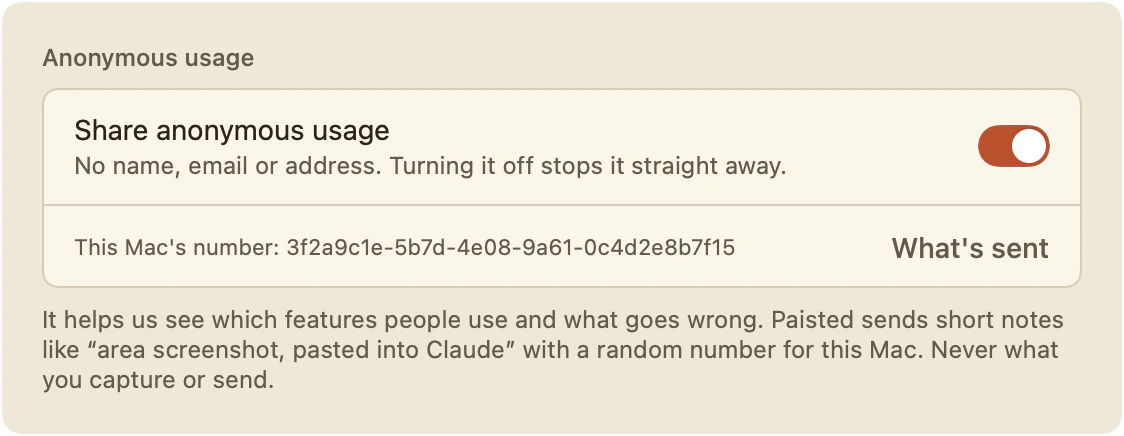
To stop it, turn off Share anonymous usage in Settings › General. Nothing more is sent from that moment, and what was still waiting is dropped. To have what we hold deleted, write to [email protected] with the number shown there.
NextCover private details in screenshots